
Plane Thing
from the bridgething app or this browser
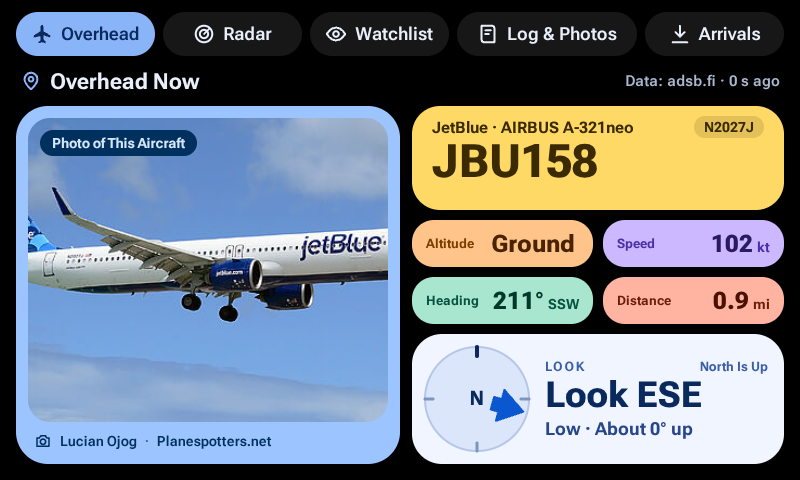
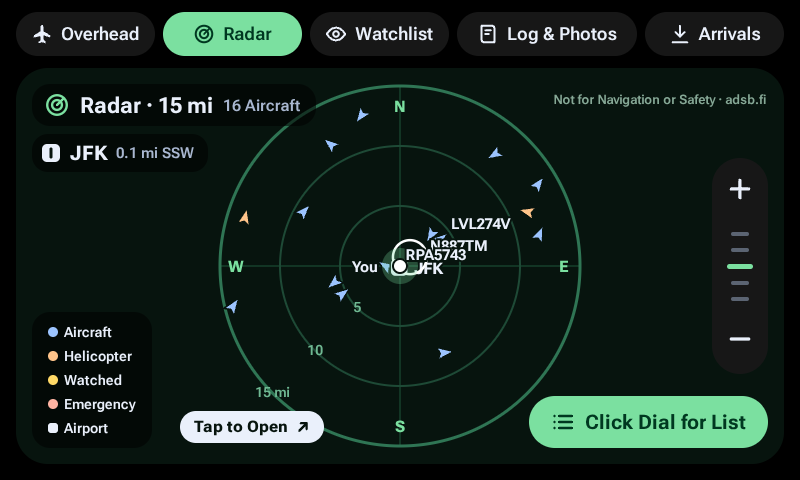
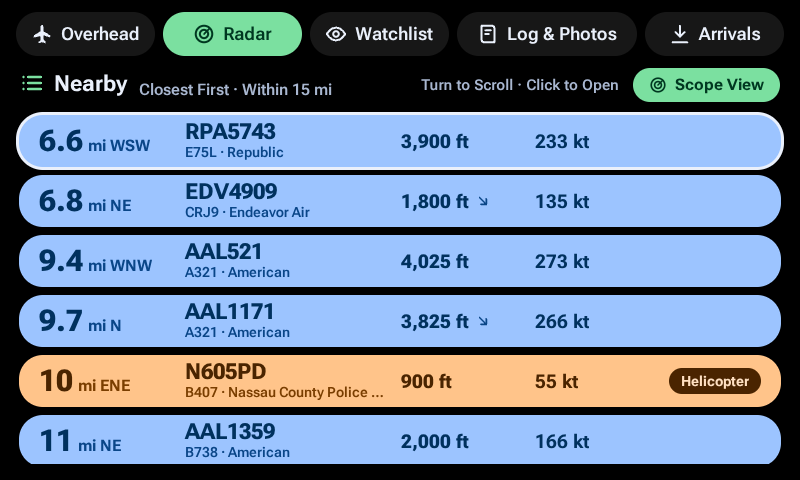
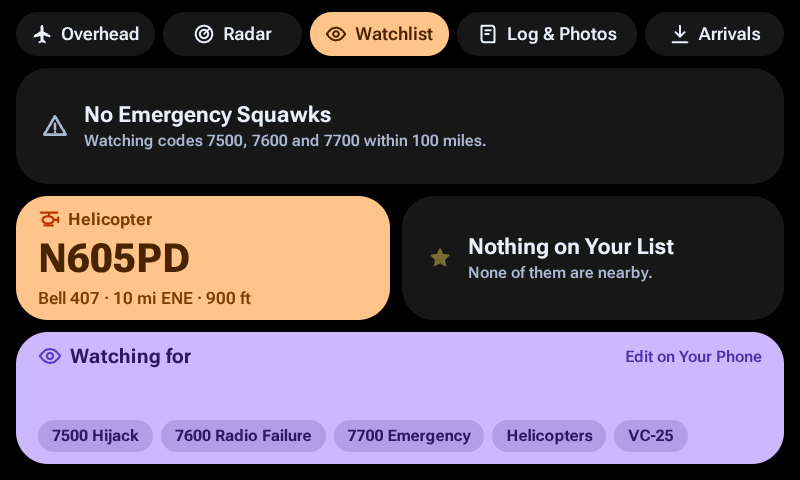
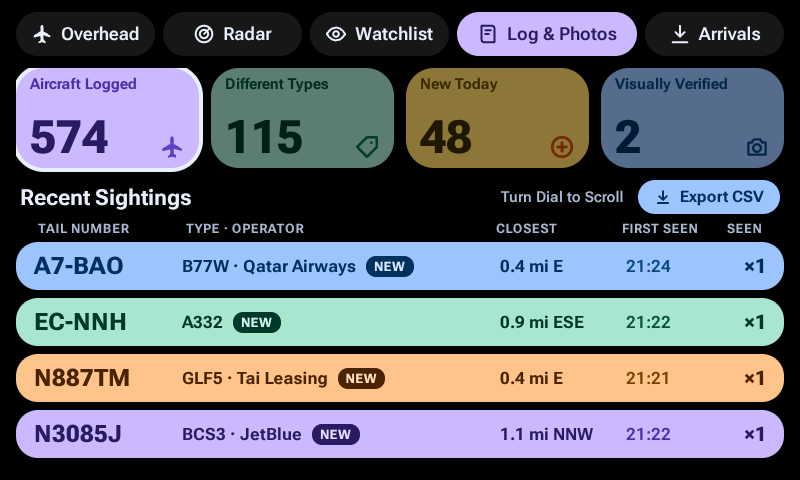
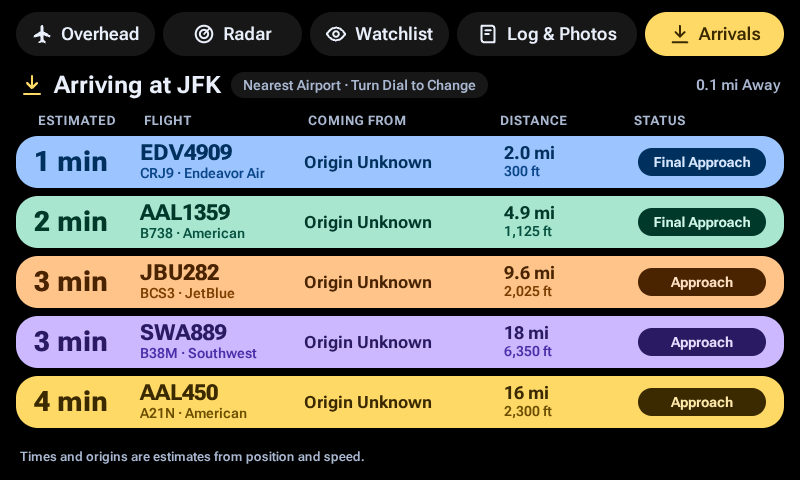
See what is flying near you: the closest plane with a photo and where to look, a live radar, a watch list, a log of the planes you spot, and an estimated arrivals board. Not for navigation or safety.
new in 0.2.2
The store and README pictures are now real captures from a Car Thing, taken by the owner on 2026-11-10 with the app's Location set to a fixed place at JFK airport. Two README pictures (the Visually Verified bar and the saved photo view) are still from the simulator and say so. The Overhead picture includes a photo credited to Lucian Ojog on Planespotters.net. No change to the app itself: it behaves the same as 0.2.0, and 0.2.2 was not installed on a real Car Thing.
permissions
- location
details
- id
- 01a1a8ce-5e3a-71a1-8619-b65be4e9d5d1
- needs
- libbridgething 0.16.0
- homepage
- https://github.com/tomarlowe/plane-thing
- source
- https://github.com/tomarlowe/plane-thing
versions
40.2.2lib 0.16.0 · 2.1 MB
0.2.1lib 0.16.0 · 2.1 MB
The store tagline now says what the app does in current terms (look-here cue, estimated arrivals) and that it is not for navigation or safety. No other change: the app behaves the same as 0.2.0, and was not reinstalled on a real Car Thing for this version.
0.2.0lib 0.16.0 · 2.1 MB
Look-here card, open a plane from the Radar, Visually Verified marking and the Log & Photos screen. • Overhead has a look-here card: where to look from the car, as a clock position ("11 o'clock") and how high ("Low · About 15° up"). The clock position needs the phone to report a heading while the car is moving. Without one the card says "North Is Up" and gives the compass direction instead. • Open any plane from the Radar. Touch a plane on the scope, or turn the dial to a row in the list view and click. The Overhead screen then follows that plane and says "Picked From Radar". Button 1 goes back to the closest plane. • The Back button now does something. On Overhead it marks the plane you are looking at as Visually Verified, for the planes you have seen with your own eyes. A bar replaces the Overhead heading for about 3 seconds ("Visually Verified", or "Already Marked" if you marked it before), and a small eye icon sits next to the tail number from then on. There is no undo on the device. Marked planes are never dropped when the log trims old rows. The CSV has a new "Visually Verified" column just before "Source", and the KML has a "Visually Verified" line. • The Spotter log screen is now Log & Photos, with a wider tab. It has four cards you can touch or turn the dial to: Aircraft Logged, Different Types, New Today and Visually Verified. The Visually Verified card shows one photo at a time with the plane's details. • The photo of a plane you marked is saved on the Car Thing: one picture per plane, up to 60, the oldest dropped first. Clearing the log from the settings page removes them too. • Every label on the screens is now in Title Case. • Checked on a real Car Thing on 2026-11-10, by the owner: the tab bar, marking a plane, marking it again, opening a plane from the Radar, Log & Photos with a saved photo, and the look-here card. Not checked on a real device: pressing Back before the photo has loaded, how many photos the device can hold, and the new CSV and KML columns on a real phone. Whether the look-here card used the car's heading while moving was not recorded separately.
0.1.0lib 0.16.0 · 2.1 MB
First release. • Five screens: Overhead (button 1), Radar (2), Watchlist (3), Spotter log (4) and Arrivals (the recessed button). • Overhead shows the closest aircraft within 10 miles: airline, tail number, callsign, type, an estimated route, altitude, speed, heading, distance and a photo with credit. If that exact aircraft has no photo it shows another tail of the same airline and type, then a photo of the type. • Radar is a self-drawn scope with five ranges (3, 6, 15, 50 and 100 miles). The dial changes range, and a dial click switches to a distance-sorted list. The nearest airport is plotted with its code, and touching the code looks at the next airport. • Watchlist shows emergency squawks (7500, 7600, 7700), helicopters and the callsigns or tail numbers you list. • Spotter log keeps every airborne aircraft you pass, once per aircraft, on the Car Thing itself. Export it as CSV (or a KML map file) from the settings page on your phone. • Arrivals lists aircraft landing at the nearest airport with estimated times and origins, plus the FAA delay status. • Emergency alert: an aircraft squawking 7500, 7600 or 7700 within 100 miles flashes EMERGENCY three times on any screen, then jumps to the Radar. A setting turns off the jump. • Settings for units (imperial, aviation or metric), clock, location, airports (nearby, one country or the whole world), logging distance, watch list, the emergency jump and dial direction. • Live positions come from adsb.lol, with airplanes.live and adsb.fi as fallbacks. Not for navigation or safety.