

Deskbar
from the bridgething app or this browser
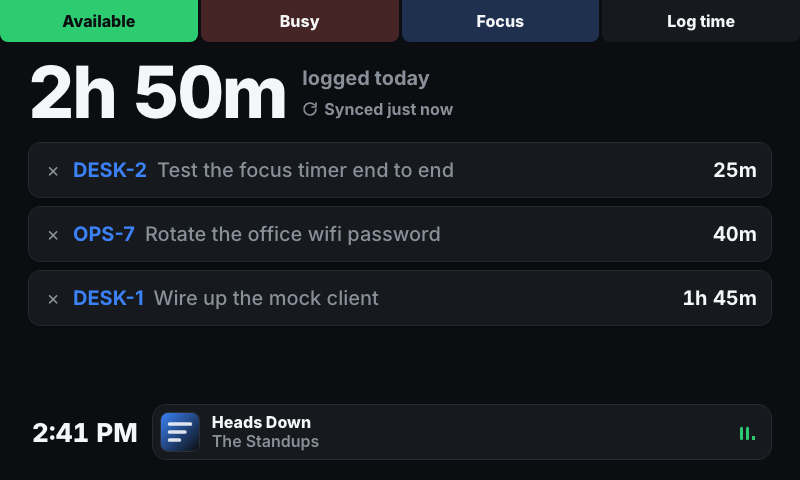
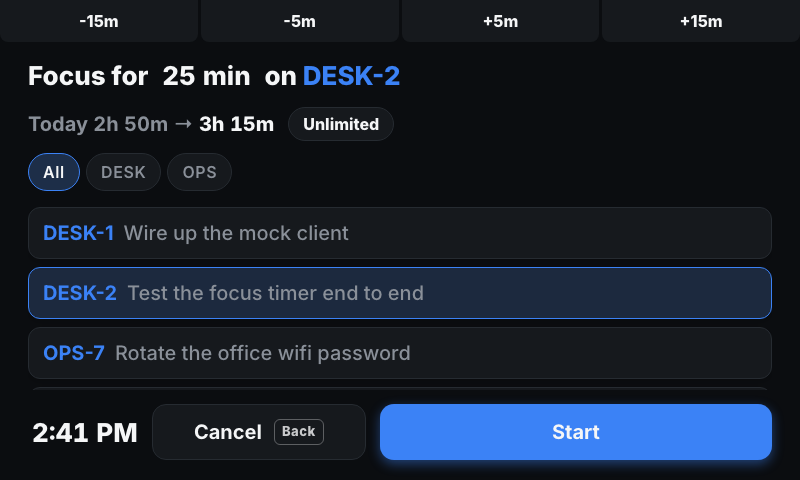
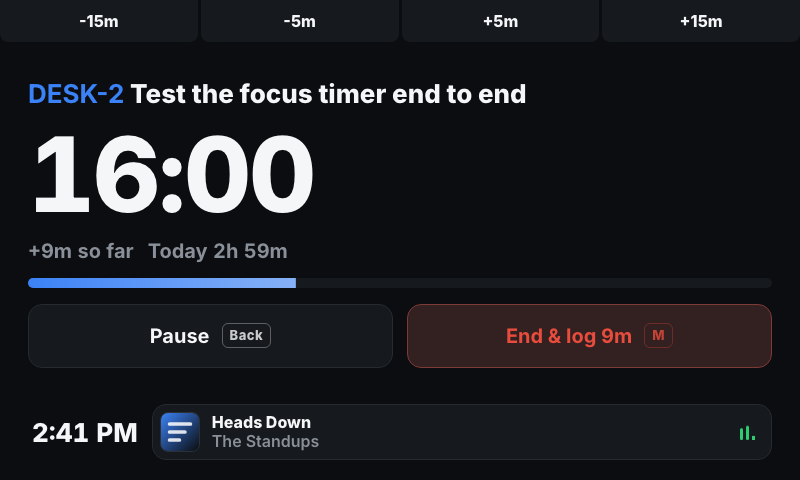
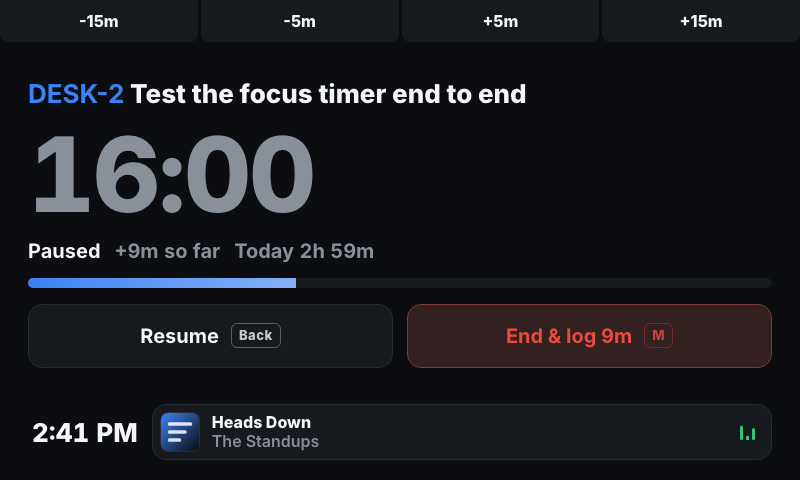
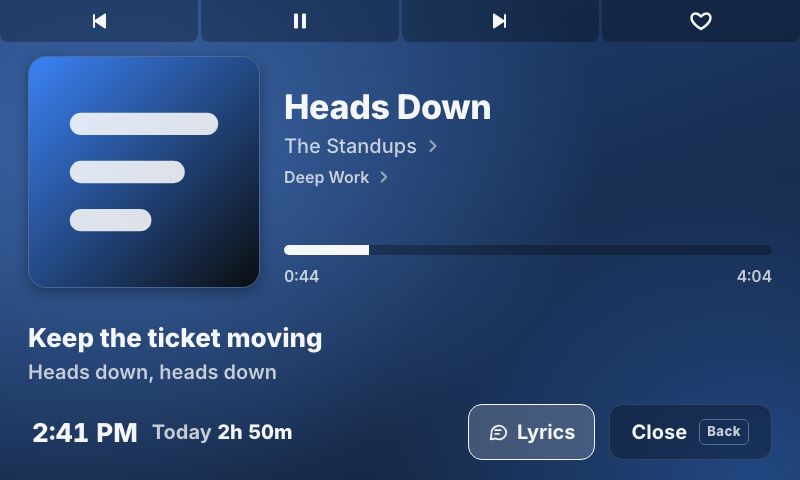
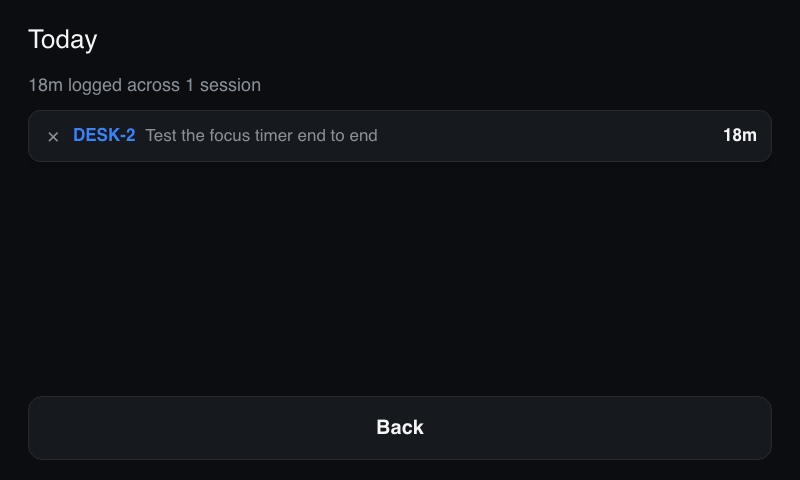
Busy/available/focus status, a focus timer, and Jira worklog time tracking.
new in 0.9.0
Home now matches Jira. Worklogs you add from Jira's site or another device show up in the ledger when the screen wakes, when you come back to Home, or within 10 minutes, edits there change the time shown here, and worklogs deleted there drop out. A line under today's total says when Home last synced; tap it, or pull the list down, to sync right away. Pulling down the issue list on Focus Setup or Log Time Now fetches new tickets and keeps the one you picked. New optional settings help keep timesheets tidy. Starting a focus session can move its issue to a status you name, like In Progress, and the receipt can move it on to Done. Focus sessions can round to the nearest 5 or 15 minutes. Worklogs no longer carry a "Logged via Deskbar" comment. Home and Log Time Now no longer show "unlogged since", and Log Time Now starts at your default focus length again. With nothing logged yet, Home shows the next two hours as a calendar instead of a note: turn the dial to set a first focus, five minutes a click, and watch it land as an event starting now, with the time it would end. Press the dial to open Focus Setup at that length. Dragging or tapping along the calendar works too. Durations in Home's list, and the Delete button when deleting, no longer sit partly under the dial. Issues you logged to in the past week stay in the issue list, marked Recent, after your JQL stops returning them. The first button press after Deskbar opened, or right as its clock ticked over, was sometimes ignored. It no longer is. The settings page has a Test connection button that checks your Jira details before you save. A pasted issue or board link becomes the site address when you leave the field, and the token field says where to create a token.
permissions
- internet
details
- id
- 01931b6e-6d1b-7c2a-9c3e-9d3a2f8b7a10
- needs
- libbridgething 0.12.1
- homepage
- https://github.com/jmwerk/deskbar
- source
- https://github.com/jmwerk/deskbar
versions
70.9.0lib 0.12.1 · 264 KB
0.8.0lib 0.12.1 · 240 KB
Logging time, from a focus session or Log Time Now, now shows a receipt with what was logged, where, and today's new total, plus 8 seconds to undo it by touch or with Back. Today's total counts up as the time lands. Today always matches what Jira received: sessions under a minute log nothing instead of a phantom 1m. The issue list preselects the issue you last logged to and puts "No issue" last, so the dial no longer skips the first row. Log Time Now queues the worklog to retry when Jira is unreachable, and the -15m preset can no longer end a running session. Home now leads with the time you've logged today, when you last logged, and every worklog from today, each deletable in place, so the separate Today screen is gone. Status moved into the preset tabs along the top, where the current one lights up. Focus Setup and Log Time Now open with one line that says what you're about to do, like "Focus for 25 min on DESK-2", in place of a heading and two labels. Under it, today's total shows what it will become once the time is logged, and the clock stays in its spot at the bottom left, as on Home. Log Time Now starts at the time since you last logged today, the same gap Home calls unlogged, instead of the default focus length. The player now follows along with the lyrics, showing the line being sung and the next one under it; a Lyrics button turns them off and on, and tracks without lyrics leave the space to the art. Tap the playlist or album under the artist to see all of it, opened on the track playing, or tap the artist to see their top tracks. Those lists work like Spotify's: tap a track to play it, or add it to the queue without interrupting what's playing by swiping it right, from its ⋯ menu, or by holding the dial. The queue view shows Now playing, Next in queue and Next from the playlist, the way the app does. The art is bigger, the clock and today's total stay at the bottom like on Home, and Close takes the place of the full-width Back button. Deskbar now ships its own typeface, Inter, because the Car Thing only has an Arial clone with regular and bold, so the screen finally shows the weights it was designed with. Nothing reads smaller than 16px apart from button keycaps, and muted text is a step heavier so it holds up on black. The main paths no longer need the touchscreen. A single tap of M ends a focus session; holding M or pressing it five times still goes home without ending it. On Focus Setup and Log Time Now, turning the dial up past the first issue moves it to the duration, and pressing it hands it back. On Home the dial picks a worklog and pressing twice deletes it. Error messages now say what failed, like "Couldn't log time to DESK-2: Jira returned HTTP 403". The Delete button in the ledger is readable on its red fill, scrolling lists show a slim dark scrollbar, and progress bars move more smoothly. Focus Running now reads like Home. The issue you're logging to heads the screen, the countdown sits under it, and one line shows what the session has earned so far and today's total as if it were already logged, so the receipt lands on the number you were watching. The end button says what it will do, like "End & log 6m", and both Pause and End show the physical button that does the same thing. The dock shows the clock, as on Home. The idle clock comes in four faces, picked in settings: digital, analog hands, the time in words ("twenty to ten"), or hours stacked over minutes. A clock format setting switches every clock in the app between 12h and 24h. Pressing the dial no longer also presses whichever button you last tapped, which could reopen the player or resume a paused session. Album art in bright yellows, greens and cyans now washes the player a shade deeper so its text stays readable. The project chips and the seek bar are easier to hit, and Deskbar loads faster: it now runs on Preact, cutting the app's code by more than half.
0.7.1lib 0.12.1 · 419 KB
A long Jira issue summary no longer pushes the focus timer's buttons into the now-playing bar. The issue now stays on one line and scrolls when it's too long to fit.
0.7.0lib 0.12.1 · 419 KB
The focus timer now has the now-playing widget along the bottom: tap it for the full-screen player, which shows the focus timer beside Back, or press the dial to play/pause without leaving the timer. Tap the clock in Home's dock to show the screensaver right away. The screensaver only shows the current track while it's playing.
0.6.0lib 0.12.1 · 418 KB
Added a bottom dock to Home with a clock, a now-playing widget for the phone's Spotify (tap it for a full-screen player: presets 1-4 are previous, play/pause, next and like, the dial seeks, dial press plays/pauses, Back closes), and today's logged time. The idle screensaver also shows the current track. The now-playing dock and player were inspired by gyeonggi by Natalie Bridgers.
2 older
0.5.1lib 0.12.1 · 402 KB
Update dependencies (React 19.3, Vite 8.3, ESLint 10.11 and tooling)
0.5.0lib 0.12.1 · 325 KB
Migrated to the @bridgething/source monorepo layout, @bridgething/client 0.12.1, React 19, and push-to-main auto-publish. Rewrote the CSS as a Tailwind v4 design-token system (same DOM and safe-zone layout throughout, so nothing on screen actually moved) and added a real settings webapp backed by the existing config fields, replacing the phone app's auto-generated form as the primary way to edit settings.