

Transit Thing
from the bridgething app or this browser
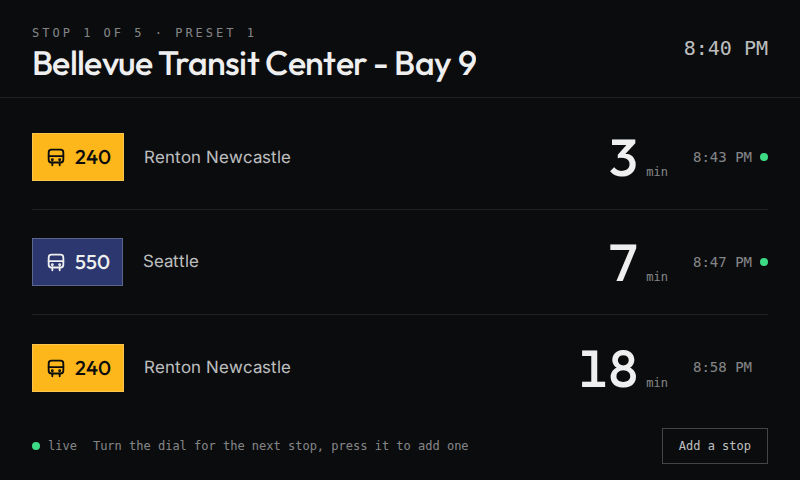
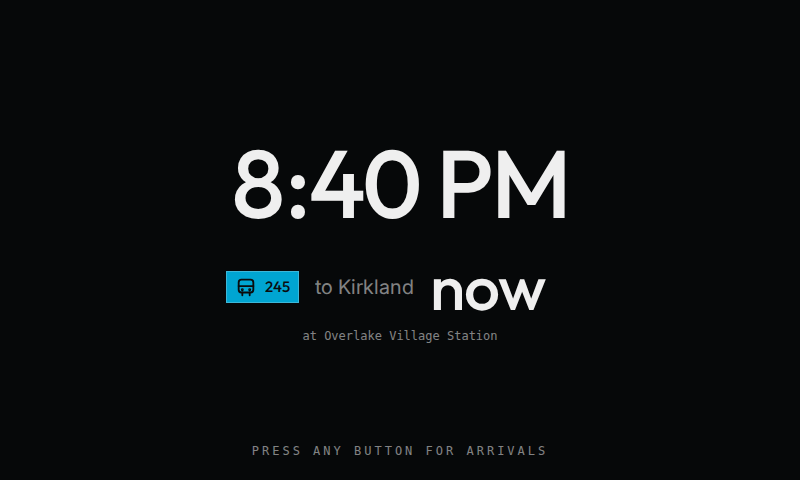
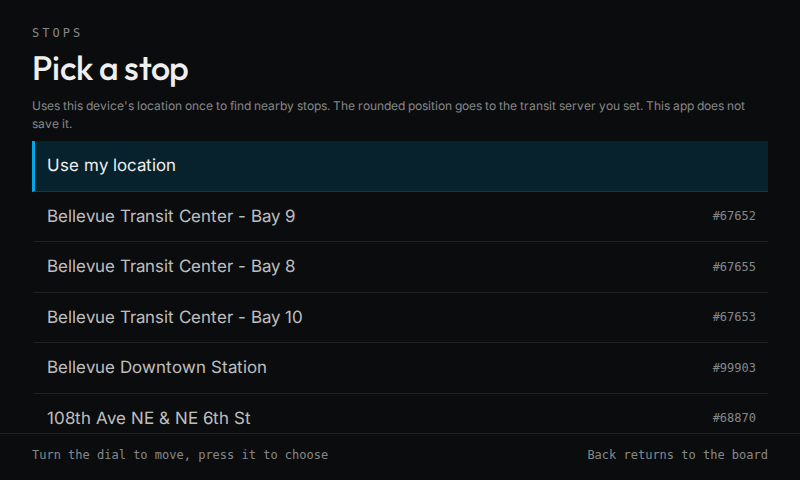
Next arrivals for your stops, from a Transit Tracker server (tt.horner.tj by default). Manage stops from the companion app or the dial. Transit Thing reads your phone's location only when you search for nearby stops, and sends an area around you, not your exact position, to that server.
new in 0.4.1
Small fixes on the phone settings page. A tap anywhere on a route row ticks its box, not only on the box or the words. Buttons squeeze slightly when pressed. The Remove buttons on stop cards have tighter corners, hints no longer strand a single word on their last line, the search button says "Find stops near you" to match the headings around it, the page mirrors correctly for right-to-left phones, and messages on both the phone and the Car Thing use typographic apostrophes.
permissions
- location
- internet
- websockets
details
- id
- 01a06478-f4f4-725a-8bc0-776641f7a436
- needs
- libbridgething 0.12.1
- homepage
- https://github.com/sparkyfen/transit-thing
- source
- https://github.com/sparkyfen/transit-thing
versions
60.4.1lib 0.12.1 · 501 KB
0.4.0lib 0.12.1 · 501 KB
The board marks the last trip of the day. A row whose trip is the last one today for that route at that stop says "Last one today" under the headsign, and the clock screen adds a line such as "Last 240 today in 12 min" when one of your stops has a last trip due soon. This needs a server running a Transit Tracker fork that sends tripsRemainingToday on each trip. The default server, tt.horner.tj, doesn't send it, so the board shows nothing new there. Choose a color for each route from the phone. Some feeds, such as King County Metro, give routes no color, so their badges all looked the same gray. On the companion app's settings page, tap a route on a stop card to pick one of eight colors, or "Feed color" to go back to what the feed sends. The choice applies to that route at every stop and reaches the Car Thing right away. The colors are saved beside the stop list, so the phone and the Car Thing read the same ones.
0.3.1lib 0.12.1 · 498 KB
Finding stops near you from the phone now works even when the companion app can't share your phone's location with its settings page. The page asks your Car Thing, which reads the phone's location over the link and passes back an area around you, about 1 km across, never your exact position. The page clears that area as soon as it arrives, and the Car Thing deletes an answer the page never collected. The Car Thing has to be on and showing Transit Thing while the page waits. When the Car Thing can't answer, the page offers a search near each stop already on the board, so you can add the stops around one you know. Stops added in 0.3.1 remember where they are; stops added earlier keep working but can't start a search until you remove and add them again.
0.3.0lib 0.12.1 · 495 KB
Manage stops from the phone. The companion app's settings page shows the stops on the board and lets you remove them or add new ones from the stops near your phone. You choose which routes to show at each new stop. The phone and the dial share one stop list, so a change on either side shows up on the other. Clocks on the board follow the timezone the Car Thing reports, including half-hour and quarter-hour zones. Fonts ship as WOFF2, which cuts the install by about 600 KB. Transit Thing reads your phone's location only when you search for nearby stops, and sends an area around you, not your exact position, to the transit server. To stop sharing your location, turn off the companion app's location access on your phone. Breaking: the "Stops as JSON" settings field is gone. The first time the board opens on 0.3.0, the stops you set that way on 0.2.0 and the stops you picked with the dial join the shared list, after any stops already on it. If that adds up to more than 25 entries, Transit Thing keeps the first 25. Once those stops are on the shared list, the Car Thing clears its own copy and stops reading the old JSON value, which stays in the app's settings until you remove Transit Thing. From then on, only the phone page and the dial change the list.
0.2.0lib 0.12.1 · 839 KB
Live arrivals from a Transit Tracker server. The board subscribes to each saved stop over the phone link, shows next arrivals with live markers, and reconnects on its own. The stop picker finds nearby stops from an area around your location and loads real routes. Late and early markers appear when a server reports delays or a prediction drifts. Settings gain a server URL, a feed code, and a stops list. Ids with spaces, such as New York MTA routes, are accepted.
1 older
0.1.0lib 0.12.1 · 820 KB
First release.