
from the bridgething app or this browser
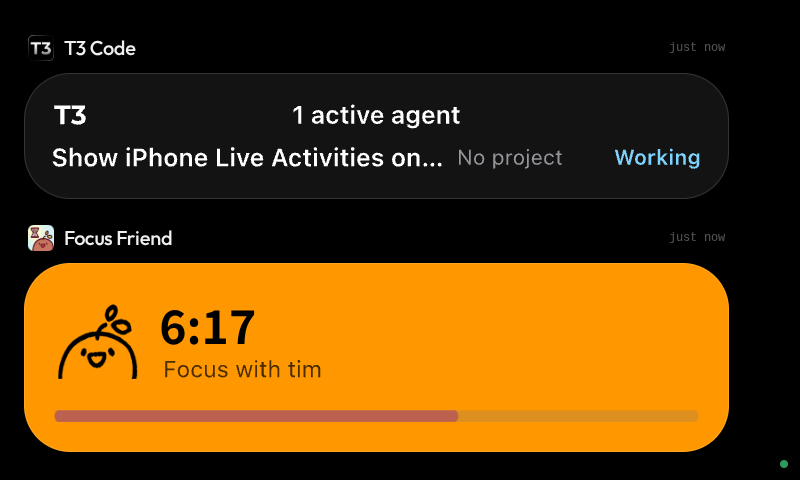
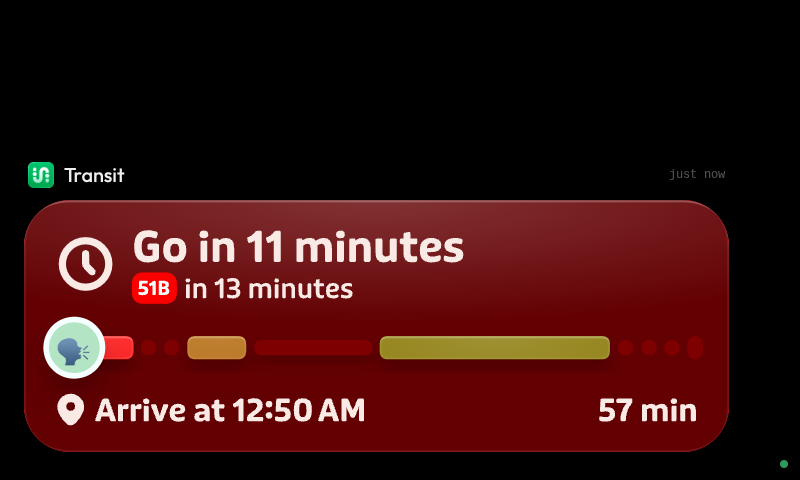
Your iPhone's Live Activities on the Car Thing, mirrored from your Mac and redrawn natively. The Car Thing must be plugged into a Mac on macOS 26 over USB, and the bridgething desktop app needs Full Disk Access.
native extension
this app runs code on your computer. it reported needing these permissions:
- read ~/Library/Group Containers/group.com.apple.liveactivitiesd
- read ~/Library/Group Containers/group.com.apple.chronod/chronod/remoteArchives
- read /System/Library/Fonts
- read /Library/Fonts
- reach any network host
- read system networkInterfaces
- read system homedir
- read ~/Library/Preferences/com.apple.controlcenter.plist
- read system osRelease
read it first: MangoSwirl/carthing-live-activities
new in 1.0.1
• Tinted activities keep their tint's saturation, so dark tints like Termius' stay dark instead of turning bright blue. • Buttons and images no longer show up dimmed, as if pressed. • Text wraps, truncates, aligns and spaces like it does on the phone, using the app's own fonts where it ships them. • Frosted materials, inner shadows and angular gradients draw properly.
permissions
no permissions
details
- id
- 01a138a4-aa9f-7782-a3f7-afd8d8315156
- needs
- libbridgething 0.12.1
- homepage
- https://github.com/MangoSwirl/carthing-live-activities
- source
- https://github.com/MangoSwirl/carthing-live-activities
versions
21.0.1lib 0.12.1 · 948 KB
1.0.0lib 0.12.1 · 922 KB
First release. • Shows your iPhone's Live Activities on the Car Thing, mirrored from your Mac through the bridgething desktop app. • Redraws each activity's lock-screen view natively from the data macOS receives, at the Car Thing's resolution. • Ticks timers and progress bars on the device, and rolls changed digits like iOS. • Comes to the front when an activity starts, or also when one updates, or never (setting), and returns to the previous app when the last one ends.