O-Clock
from the bridgething app or this browser
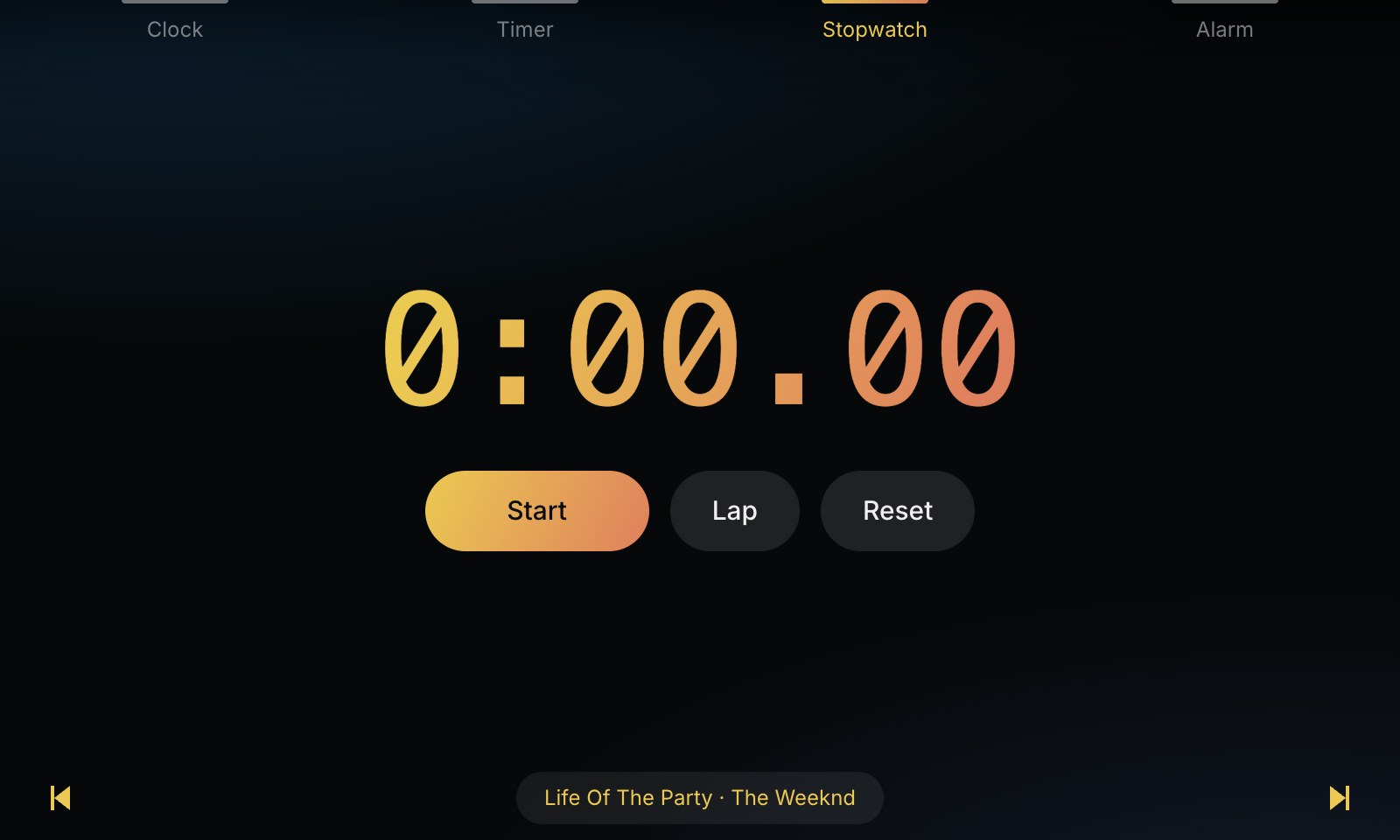
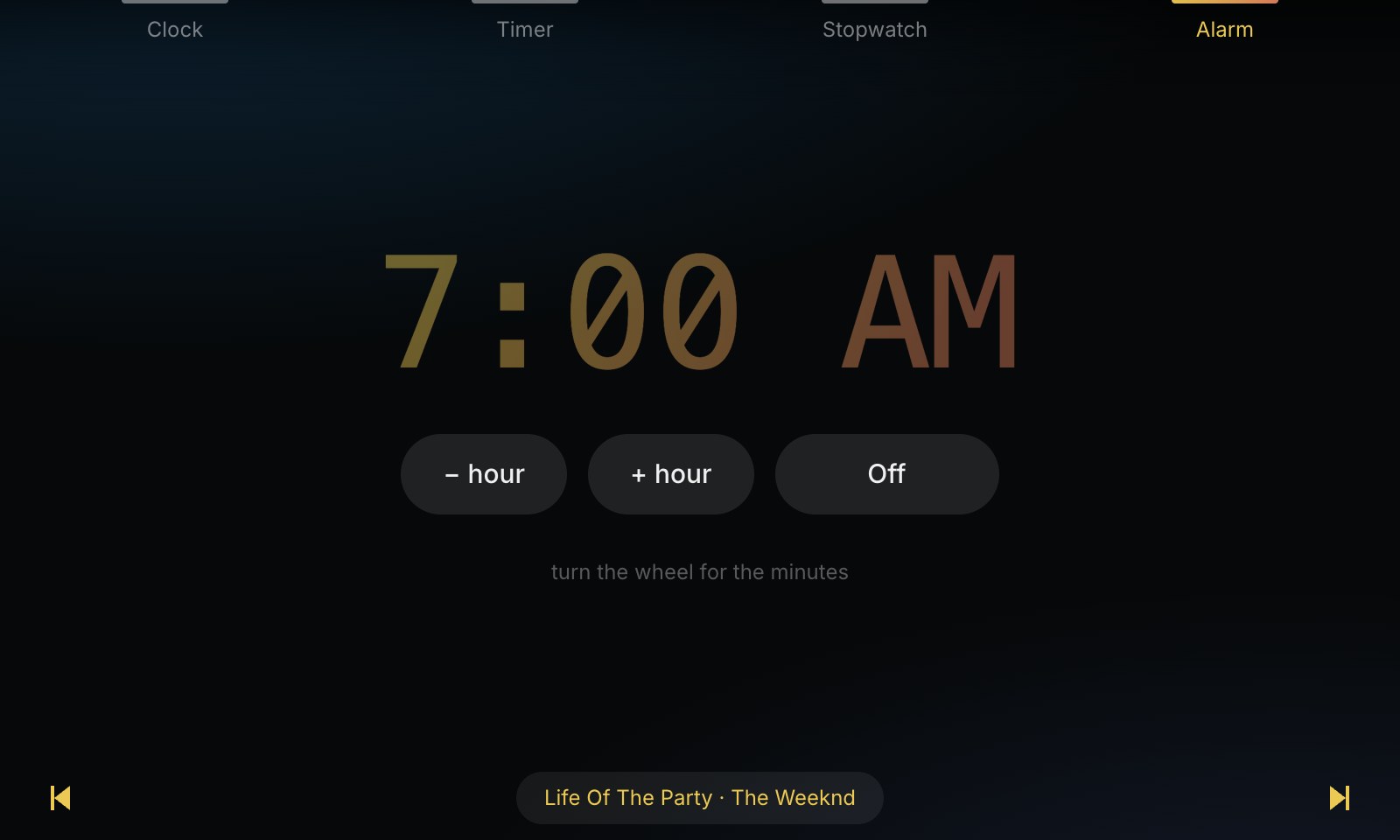
A clock in ten faces, eight timers, a stopwatch and an alarm.
new in 0.6.0
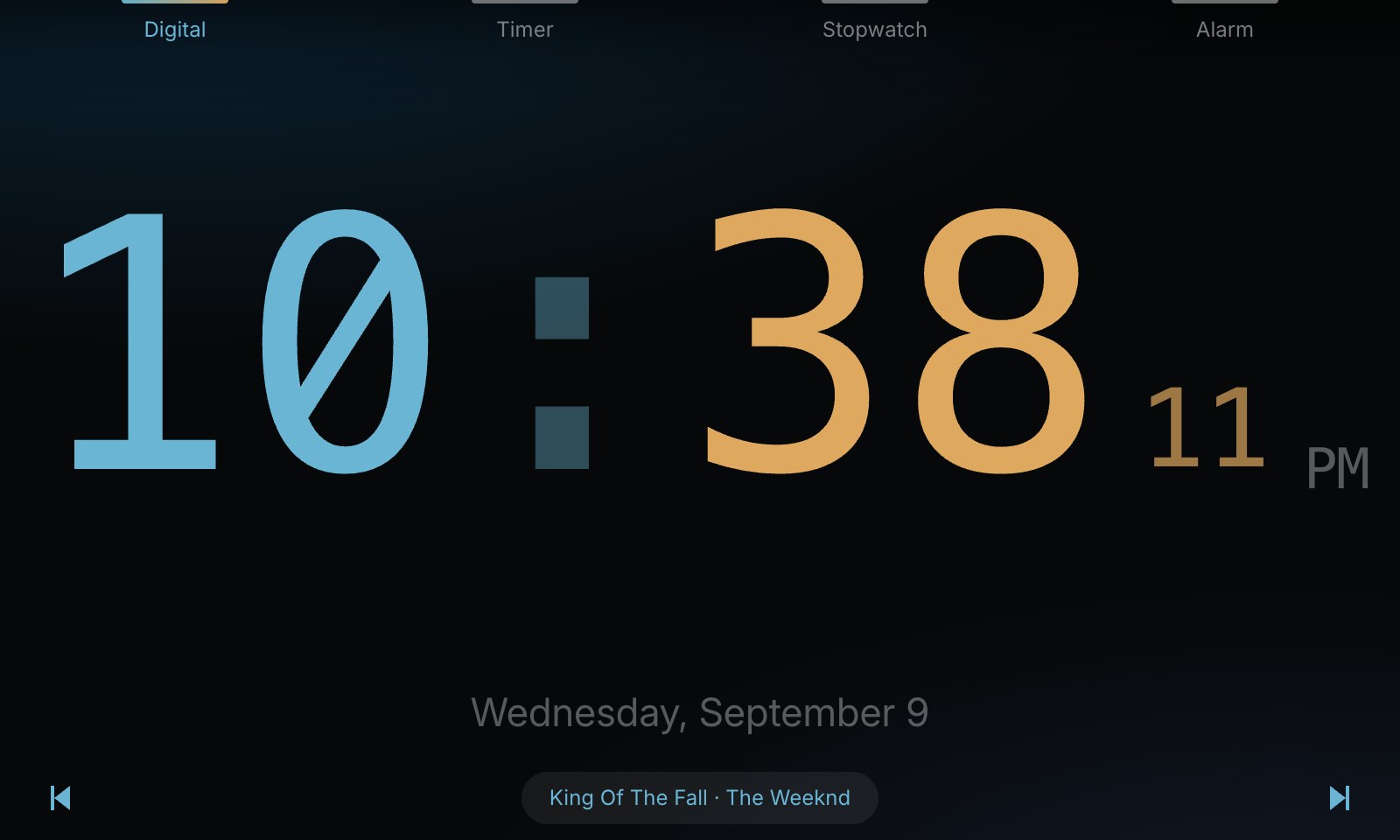
Light mode, switched on from the settings. The digital faces (Digital, Digital + Date, Border, World) are redrawn in the app's own rounded font, with a soft glow in the chosen colour, a colon of two round dots, and the seconds tucked under AM/PM. Smooth motion: changing digits roll up into place, the colon fades in and out rather than flicking, and switching face or screen fades in.
permissions
no permissions
details
- id
- 01a08085-a3c5-73fc-a3f9-1532161d74d2
- needs
- libbridgething 0.12.1
- homepage
- https://github.com/ousachea/Ousa-Music-Player-v1
- source
- https://github.com/ousachea/Ousa-Music-Player-v1
versions
110.6.0lib 0.12.1 · 1.1 MB
0.5.4lib 0.12.1 · 1.0 MB
Bigger icon: the ring and its glyph now fill the tile.
0.5.3lib 0.12.1 · 1.0 MB
New icon in the shared Ousa style: a glowing ring with a dot, in the app's own colour.
0.5.2lib 0.12.1 · 1.0 MB
Icon shrunk under the device's 64 KiB limit so it shows in the launcher.
0.5.1lib 0.12.1 · 1.1 MB
Khmer text displays on the device. The Car Thing has no Khmer font, so Khmer in your own text (quotes, names, captions, track titles) came out as empty boxes; the app now carries its own.
6 older
0.5.0lib 0.12.1 · 936 KB
Calendar, a tenth face: the month the phone thinks it is, laid out from Monday with the weekday letters above it and today lit in the chosen colour. The days either side of the month are drawn faint rather than left out, so the grid keeps its shape whether the month needs five rows or six, and the date under it reads as it does on every other face.
0.4.0lib 0.12.1 · 935 KB
Bezel, an eighth timer, after the one a watch shows: a rounded card whose own border is the countdown, a full lap at the start and emptying clockwise from the top. Pause sits on one end and a red cross on the other, with the wall clock time it comes due above the figures and the word Timer under them. The wheel and the two keys under the card set it, as they do on the other dialled ones. What is playing can be turned off. The strip along the bottom is on by default; with it off every screen keeps the whole height, and the colour carries on following the album art if that is on, since it reads the track either way.
0.3.1lib 0.12.1 · 933 KB
The app is called O-Clock now, on the store card, on the device and in the tab it opens in. Nothing else about it changes: same id, same settings, same data, so an installed copy updates in place and simply reads O-Clock afterwards.
0.3.0lib 0.12.1 · 933 KB
Border, a ninth face: the screen's own edge is the second hand. A line runs round all four sides, square into the corners, and fills from the top clockwise, one lap a minute, so the time inside it carries no seconds of its own. With the seconds off the frame takes the minute of the hour instead, and steps once a second rather than sixty times a minute. What is playing runs along the bottom of every screen while a track is on: previous at one edge of the screen and next at the other, and the track between them. The title is the play button itself, lit in the clock's colour on a soft pill while the music runs and grey and flat while it does not, rather than a label with a button next to it. They work the phone's player through the daemon, so a track can be changed from the clock. The strip is only there when something is playing, and the screens are laid out inside what it leaves. Follow the album art, off by default: the clock takes its pair of colours from the cover of whatever is playing, and changes with the track. The daemon gives the artwork id, the bytes come back through the asset surface, and the same reading the music player uses pulls the two strongest hues out of them. A cover with no usable hue, or nothing playing at all, leaves the chosen palette in place, and the settings row says so by naming that palette as the one for when nothing is on. Flashing colon, on by default: the colon is lit for the first half of each second and dim for the second half, on every face that draws one. It blinks against the phone's clock rather than the browser's, so it is in step with the numerals beside it. The date is laid out under the face rather than pinned to the bottom of the screen. The face takes the room that is left over and is centred in it, so the clock and its date sit as one block and the gap between them does not change with what is playing. Face size scales whichever face is on: Small, Medium, Large, or Fill, which measures the face before it is scaled and takes the largest scale the screen has room for. The date goes with it, so it is not left small under a clock that has grown to fill the screen, and the room the date needs is subtracted from the screen before the face is measured rather than left to chance: a filled Digital face now clears it by 92px. Border fills the square it is drawn in rather than the screen. Screen rotation, 0 to 90 to 180 to 270, for a device that is not sitting the way it was designed to. The app is laid out at the swapped size and turned into place, and the four preset bumps follow the buttons round to whichever edge they are physically on, so a turned screen still points at the hardware that works it.
0.2.0lib 0.12.1 · 905 KB
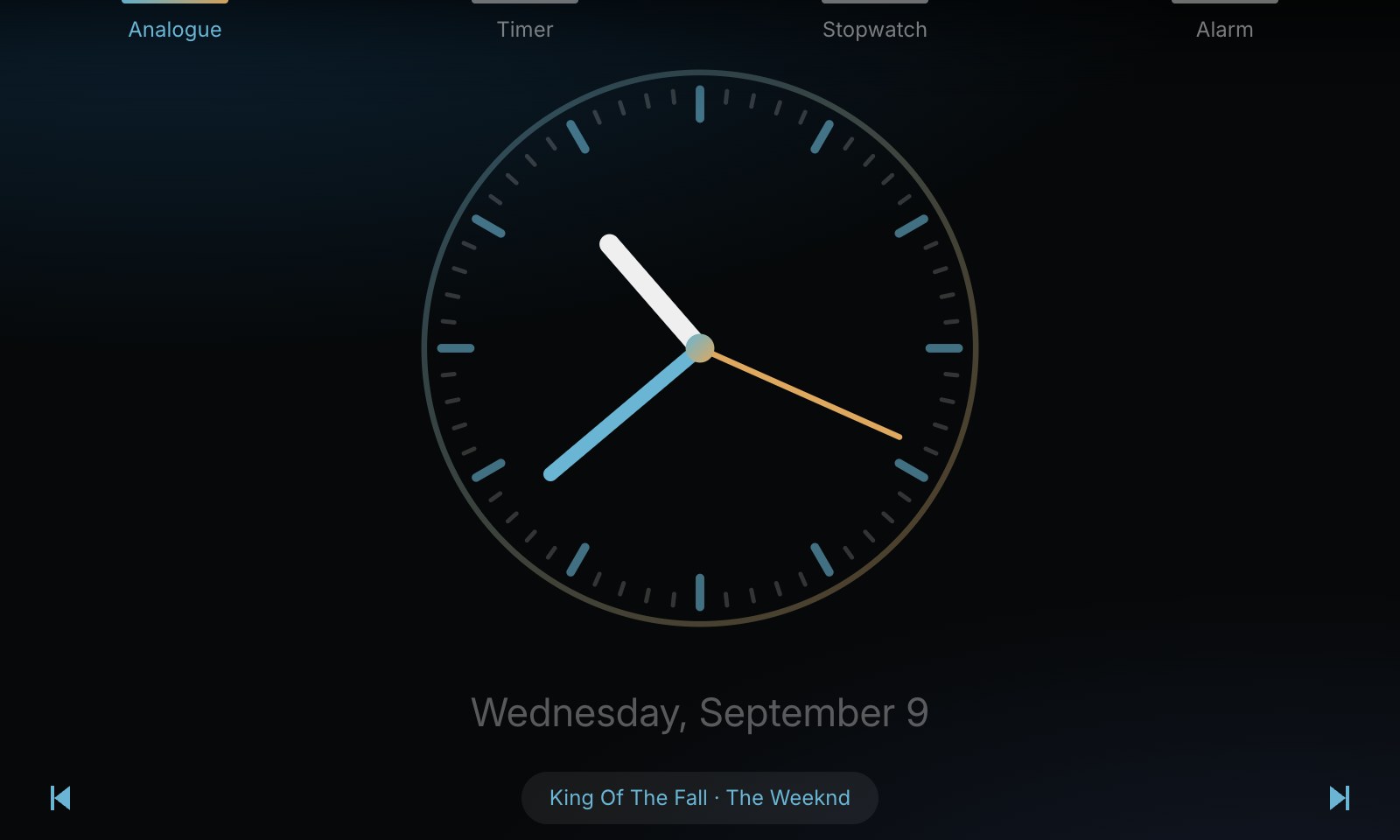
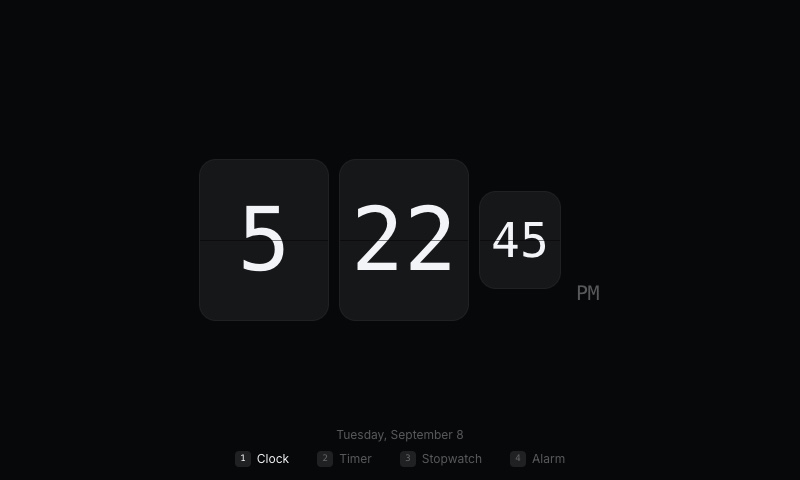
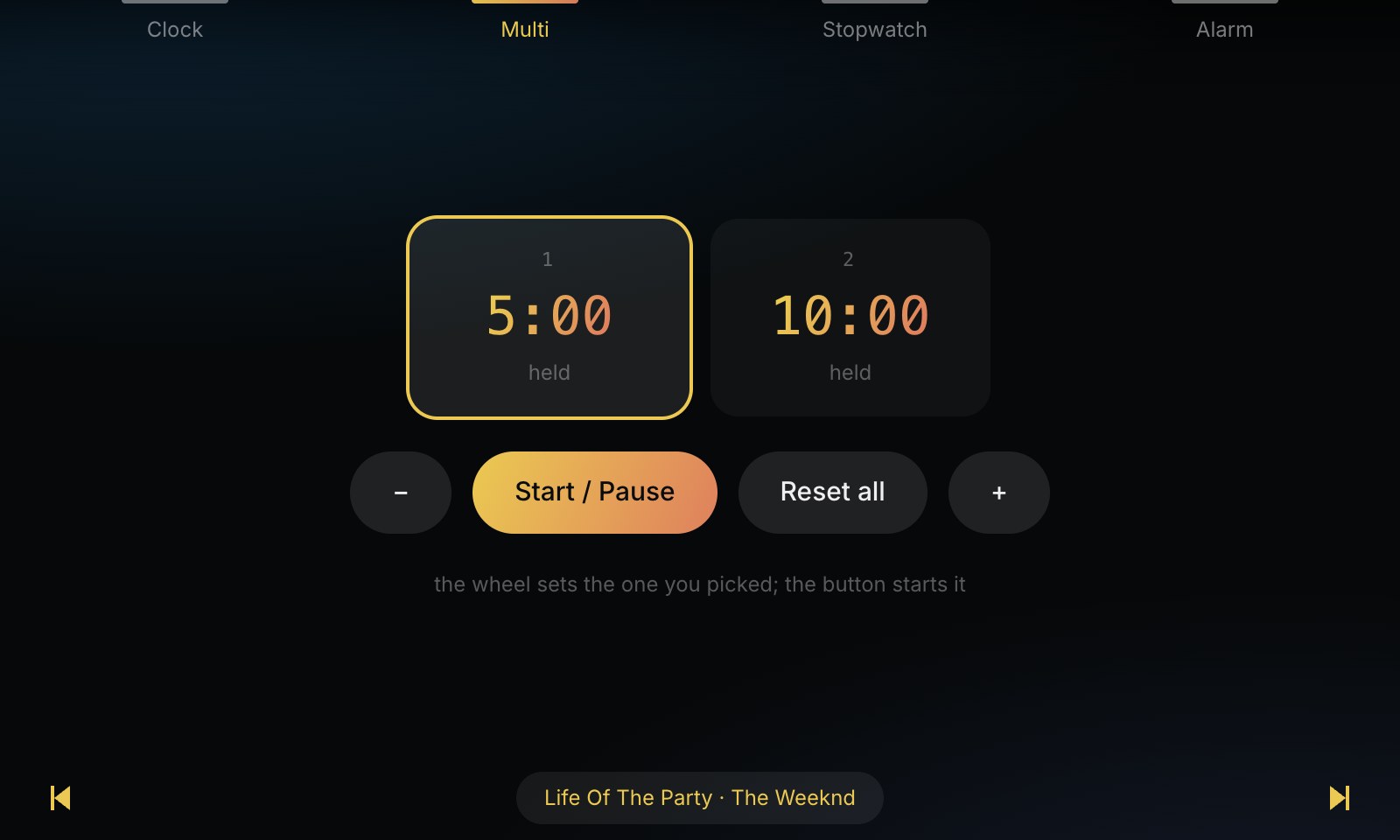
Eight clock faces. Digital, Digital + Date, Minimal, Flip, Analogue, World, Binary and Word. World reads three cities beside the local time, picked from eighteen, and says when one of them is already on tomorrow. Binary is four rows of 8-4-2-1, one column per digit, with the decimal under each column. Word spells the time out, and reads a twelve hour dial however the rest of the app is set, because "seventeen forty-five" is not how anyone says it. Seven timers. Countdown is the plain one. Circular puts a ring around it that empties as the time does. Pomodoro runs work and break and moves itself between them. Interval runs work and rest for a number of rounds, with a pip per round. Kitchen is a real dial: one turn, an hour, whole minutes, and the wedge shrinks back to twelve o'clock. Preset is 1, 5, 10 and 30 minutes, and picking one starts it. Multi runs up to four at once, the wheel setting whichever you picked. A phase ending inside a pomodoro or an interval chimes once and carries straight on, rather than taking the screen: a countdown you have to dismiss is no use to someone halfway through a set. Only a timer that has actually finished rings. Preset 1 is now the whole clock. It opens the clock from anywhere, and pressing it again while the clock is already up walks the eight faces. Preset 2 does the same for the seven timers by way of its own settings. Mode now moves between the four screens everywhere, including on the clock, where it used to turn the faces instead and so could never leave. The wheel still turns the faces. The tab bar has moved to the top edge and become four bumps, one under each physical button, so the marker is where the finger already is rather than somewhere else on the screen. Each names its screen when you arrive and then fades back to the bump, and the one you are on stays lit; on the clock and the timer it names the face or the style, so the preset explains itself. Each screen keeps its own settings. The wheel button opens the settings for whichever screen you are on, and the presets move between them the way they move between the screens themselves. Clock holds the face, its cities, the hour format, the seconds and the date. Timer holds the style and whatever that style runs on: pomodoro's work and break, interval's work, rest and rounds, how long it rings, and what one click of the wheel is worth. Stopwatch holds hundredths and keep laps, and drops the Lap button when laps are off. Alarm holds how long it rings, and the hour format it reads its own time back in. The one sound setting has become two, one for the timer and one for the alarm. Flip actually flips. The old top leaf falls away to uncover the digit already waiting behind it, then the new bottom leaf swings up over the old one, each half darkening as it turns out of the light. Colour, rather than one lit shape on black. Every colour is a pair: the hour takes the first and the minute the second, the countdowns and the stopwatch run a gradient across the numerals, the dials and their hands are drawn from the same two, and the screen behind carries a soft wash of them so the empty half of a clock face has a temperature. Three new ones — Sunset, Aurora and Ember — and the colour sits under every settings panel as swatches, because it paints all four screens. A countdown under ten seconds leaves whatever you chose for a colour that reads as running out, and takes the wash with it.
0.1.0lib 0.12.1 · 899 KB
A clock for the Car Thing, in four faces: Digital, Analogue, Flip and Minimal. Mode cycles them, or the wheel does, and the colour and hour format are settings. Three more things live behind the presets. Timer counts down from a length you dial with the wheel. Stopwatch runs to hundredths and keeps laps. Alarm rings at a time you set, and survives a restart. The time comes from the daemon, which carries the phone's wall clock, zone and locale. The kiosk's own clock is not set from anything, which a clock app in particular has no business trusting; the face says so while it is waiting for the phone.